February 29, 2016
How to Turn off force SSL Redirection on cPanel/WHM
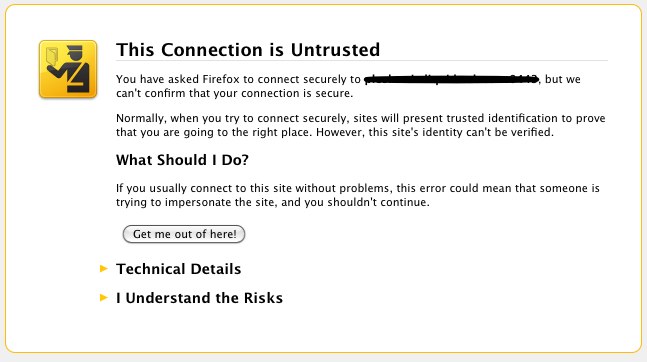
You can do this by editing “Tweak Settings” on WHM.
If you are able to access WHM panel as root, follow System 1. If you are unable to access WHM due to an SSL error but have SSH access, follow System 2.
System 1
Login to WHM as root. Then go to “Tweak Settings” under “Server Configuration”.
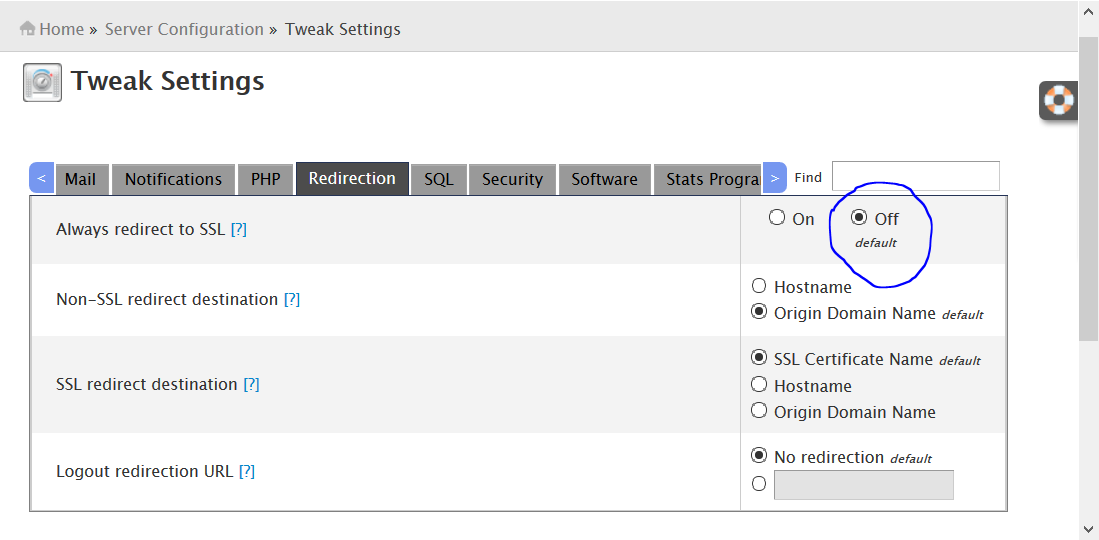
Click on the “Redirection” tab and select “Off” in the “Always redirect to SSL” option.
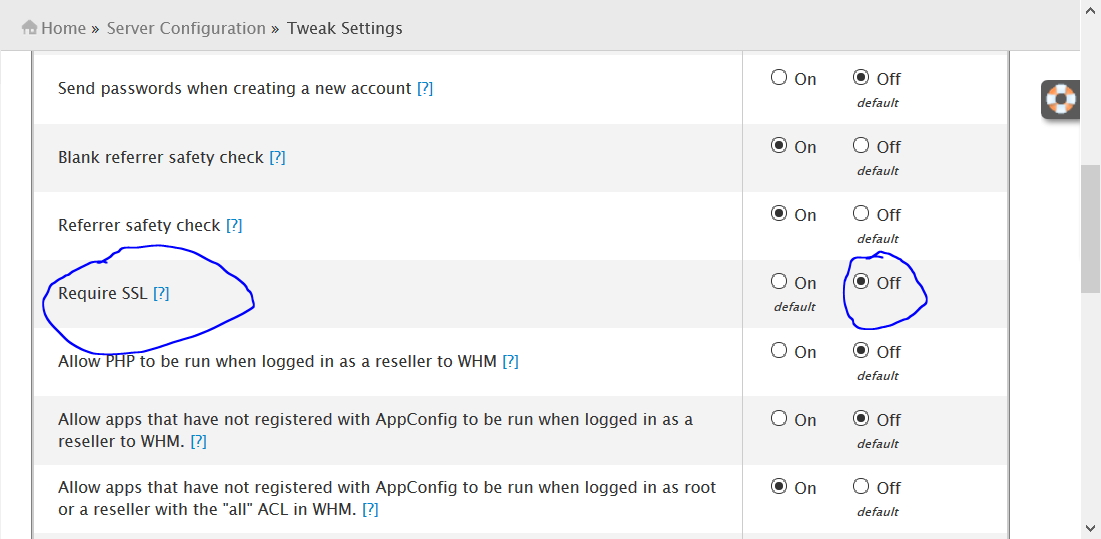
Then click on the “Security” tab and select “Off” in the “Require SSL” option.
That’s all. Now logout from WHM and visit http://server-ip/whm or http://yourdomain.com:2086/ — you will no longer be redirected to HTTPS.
System 2
Login as root via SSH (e.g. PuTTY) and open the cPanel config file:
vi /var/cpanel/cpanel.configPress Insert to start editing. Find alwaysredirecttossl and requiressl and set both to 0:
alwaysredirecttossl=0

requiressl=0
Press Esc, then type :wq to save and exit:
:wqClose your SSH client and log back into WHM via http://yourdomain.com:2086/.
- Force SSL
- SSL Redirection
- WHM
- WHM SSL Error